2020. 2. 7. 16:27ㆍEnglish
On the Move cat sprite (keyboard), there was an unnatural movement when trying to diagonally move the cat sprite. Let's learn how to move sprites more naturally.
Step1. Bring the block "when green flag clicked" from the "Events" block collection.

Step2. Add the "forever (repeat)" block from the "Control" block collection.
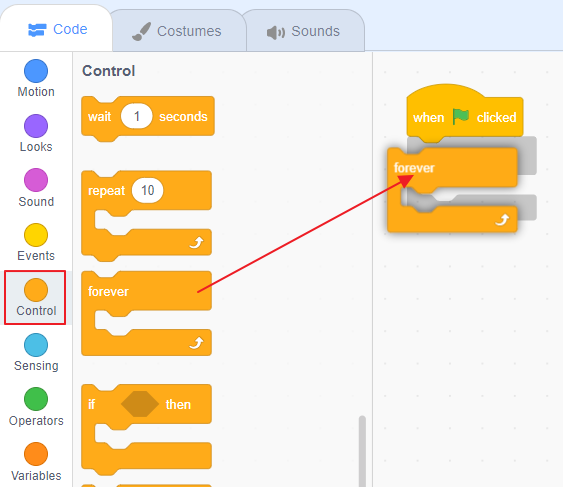
Step3. Take the "if < > then" block from the "Control" collection and place it in the forever block.

Step4. Add the "key (Space) pressed?" block to the collection of "Sensing" blocks.

Step5. Right-click on the letter "if" and execute the Duplicate.

Step6. Use "Duplicate" to create four conditions
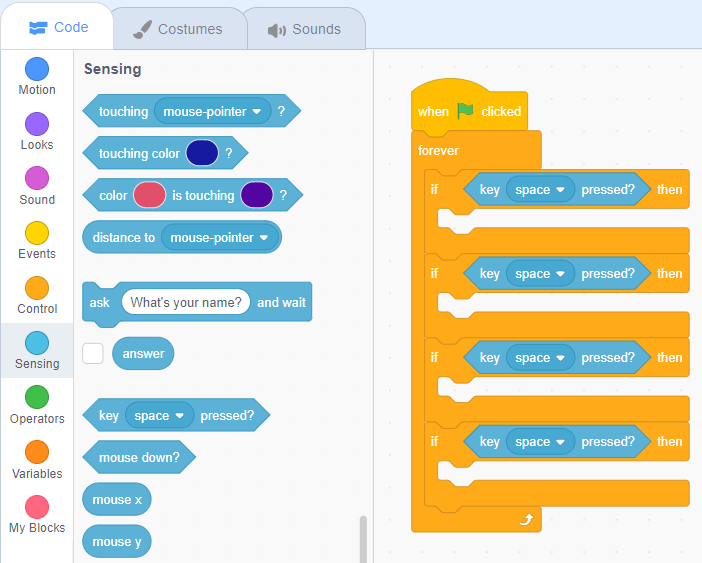
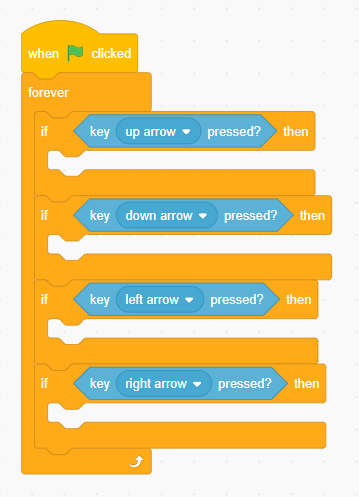
Step7. Change the "space" to the four arrow keys on the keyboard.
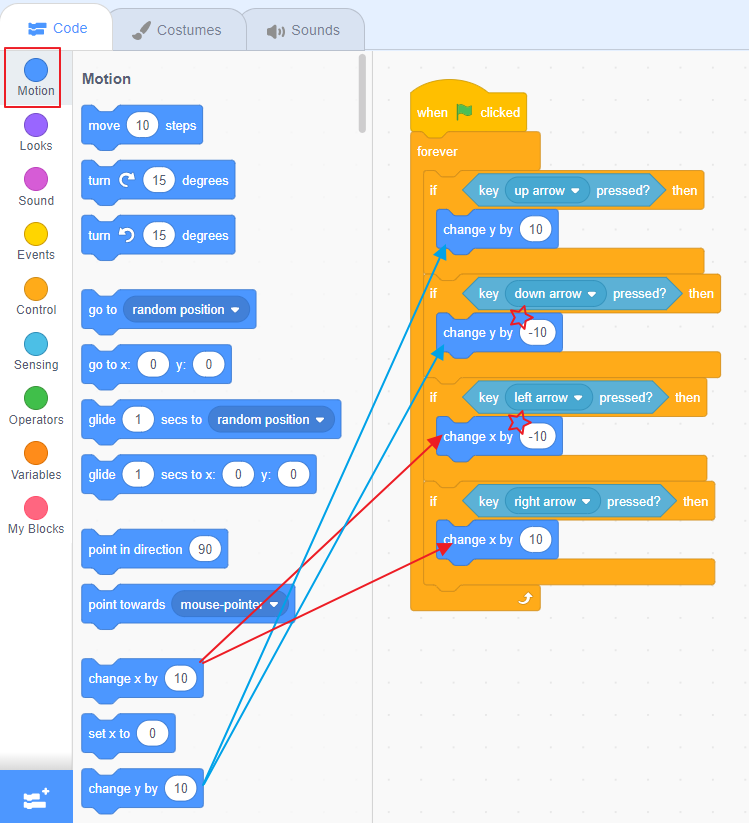
Step8. Use "change x by 10" and "change y by 10" blocks. Depending on the direction, the value may be 10 or -10.
Step9. Add the block so that the cat can change its shape when pressed by any key.
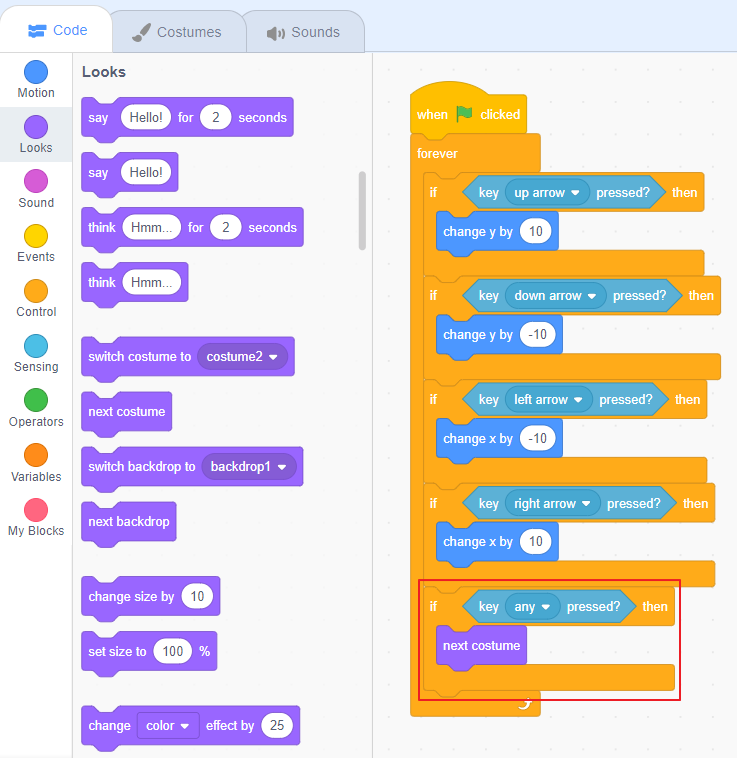
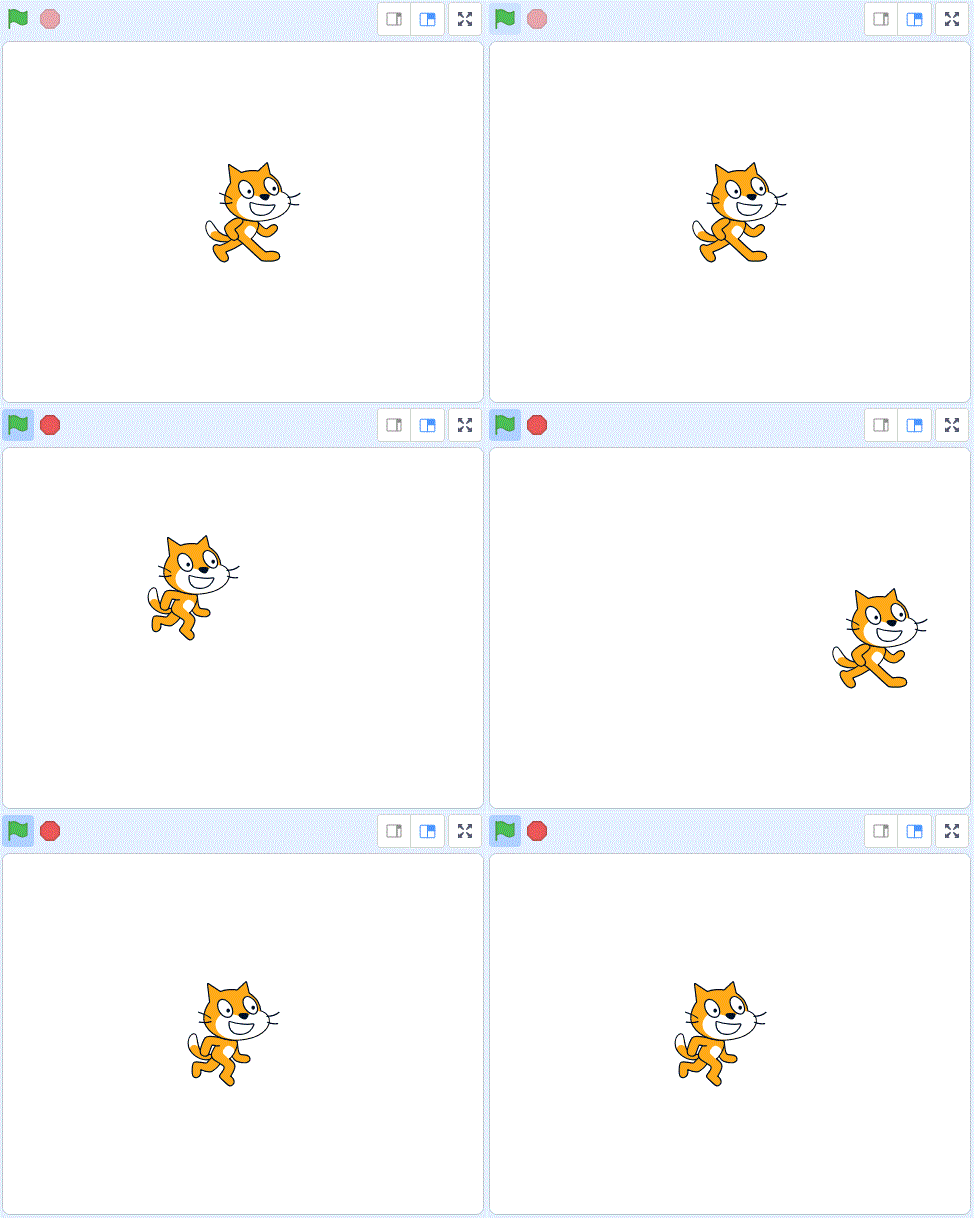
Step10. Click on the green flag and then press the arrow keys on the keyboard to move the cat sprite.
'English' 카테고리의 다른 글
| 6. Character animation (41) | 2020.03.02 |
|---|---|
| 5. Jurassic dinosaur (47) | 2020.03.02 |
| 4. Let's Dance! (44) | 2020.03.01 |
| 3. The three cats (51) | 2020.02.13 |
| 1. Move cat sprite (Basic) (144) | 2020.02.07 |