2020. 3. 1. 16:53ㆍEnglish
This time, let's make dancing cats and friends.

Step1. Rename the cat sprite to "Cat"
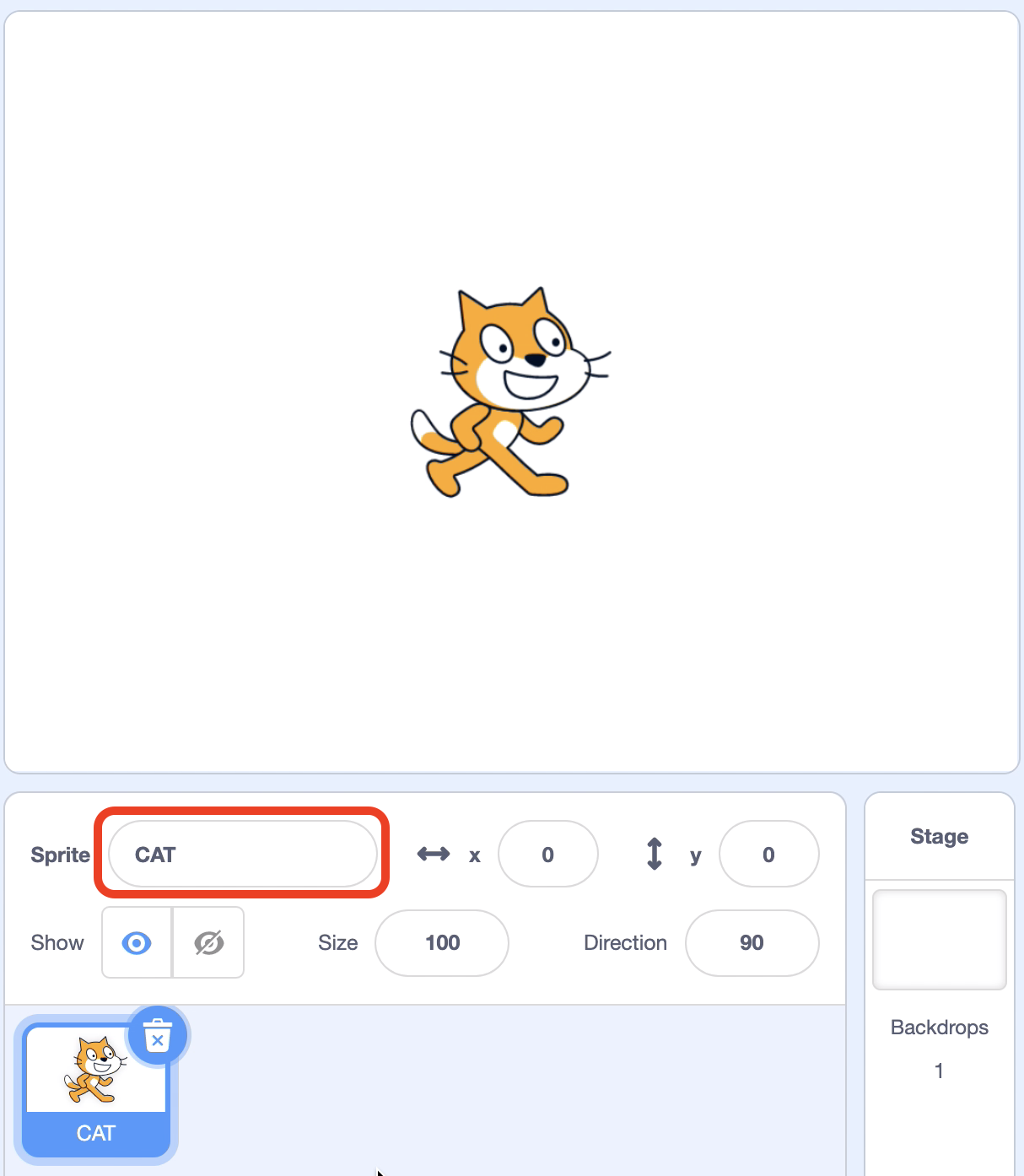
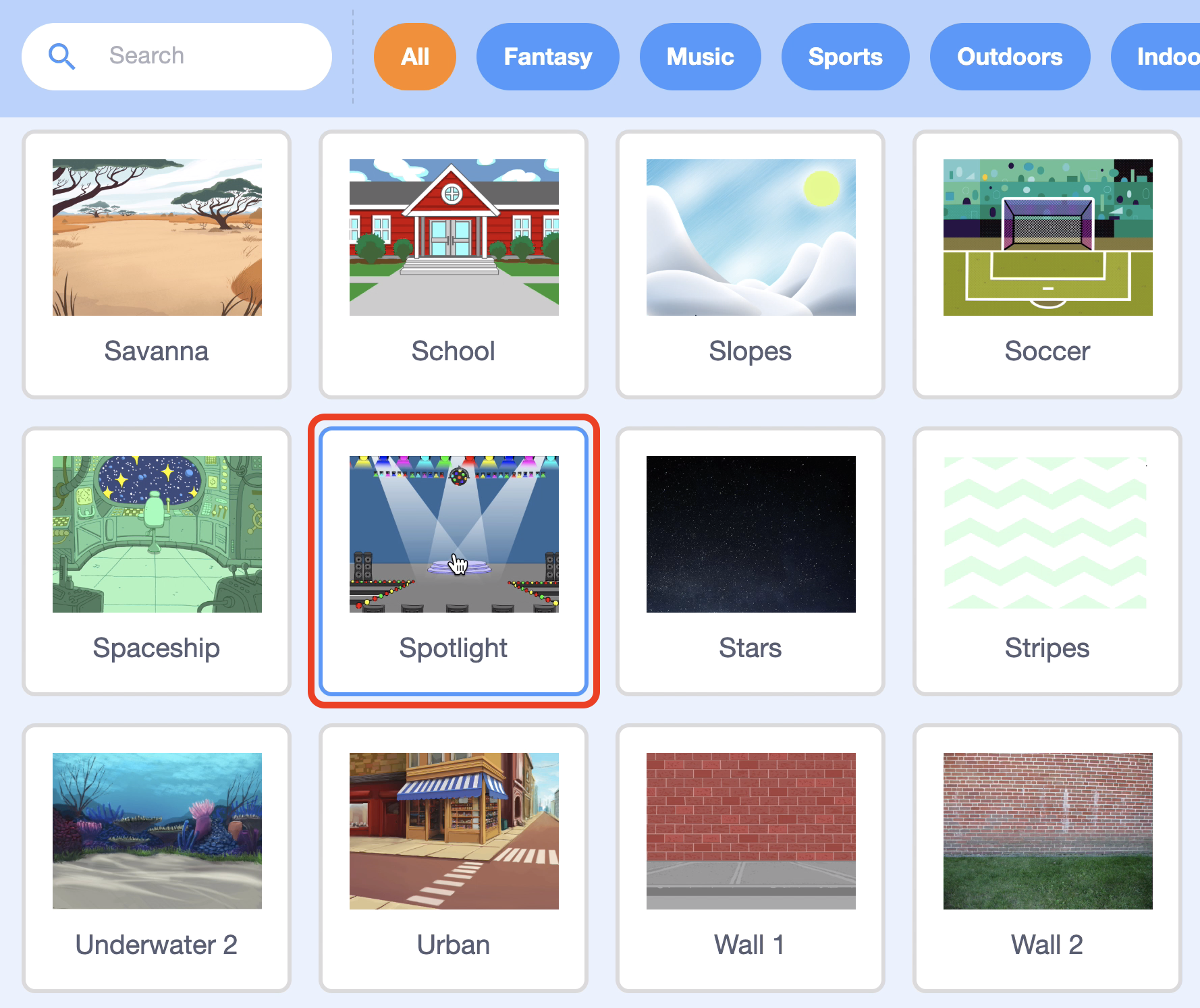
Step2. Click "Choose a Backdrop" to add a stage background.

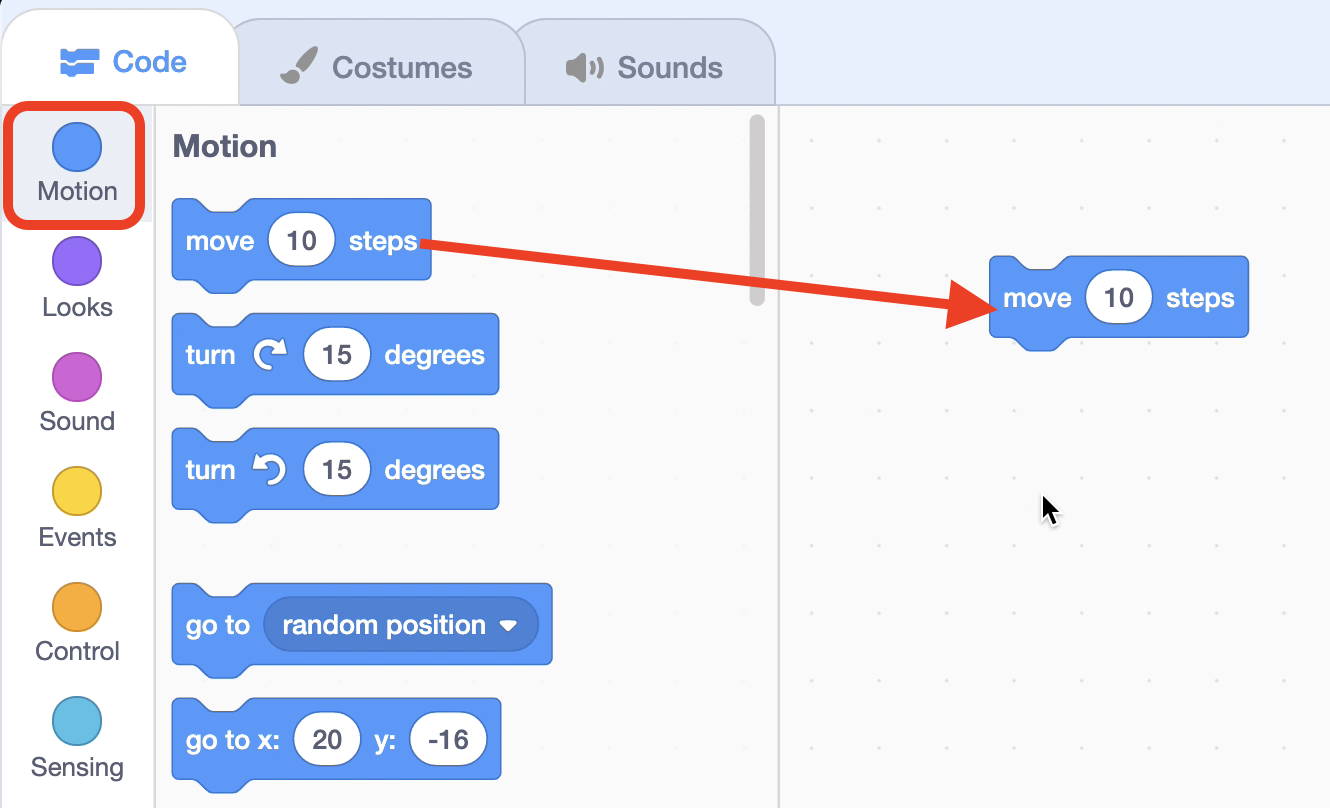
Step4. Select the "move 10 steps" block from the "Motion" block bar.
Step5. Click "Add Extension".

Step6. Add "Music." Additional blocks for playing instruments and drums are added.

Step7. From the "Music" block collection, select the block "play drum (1) Snare Drum for 0.25 beats" and connect it under the "move 10 stpes" block.
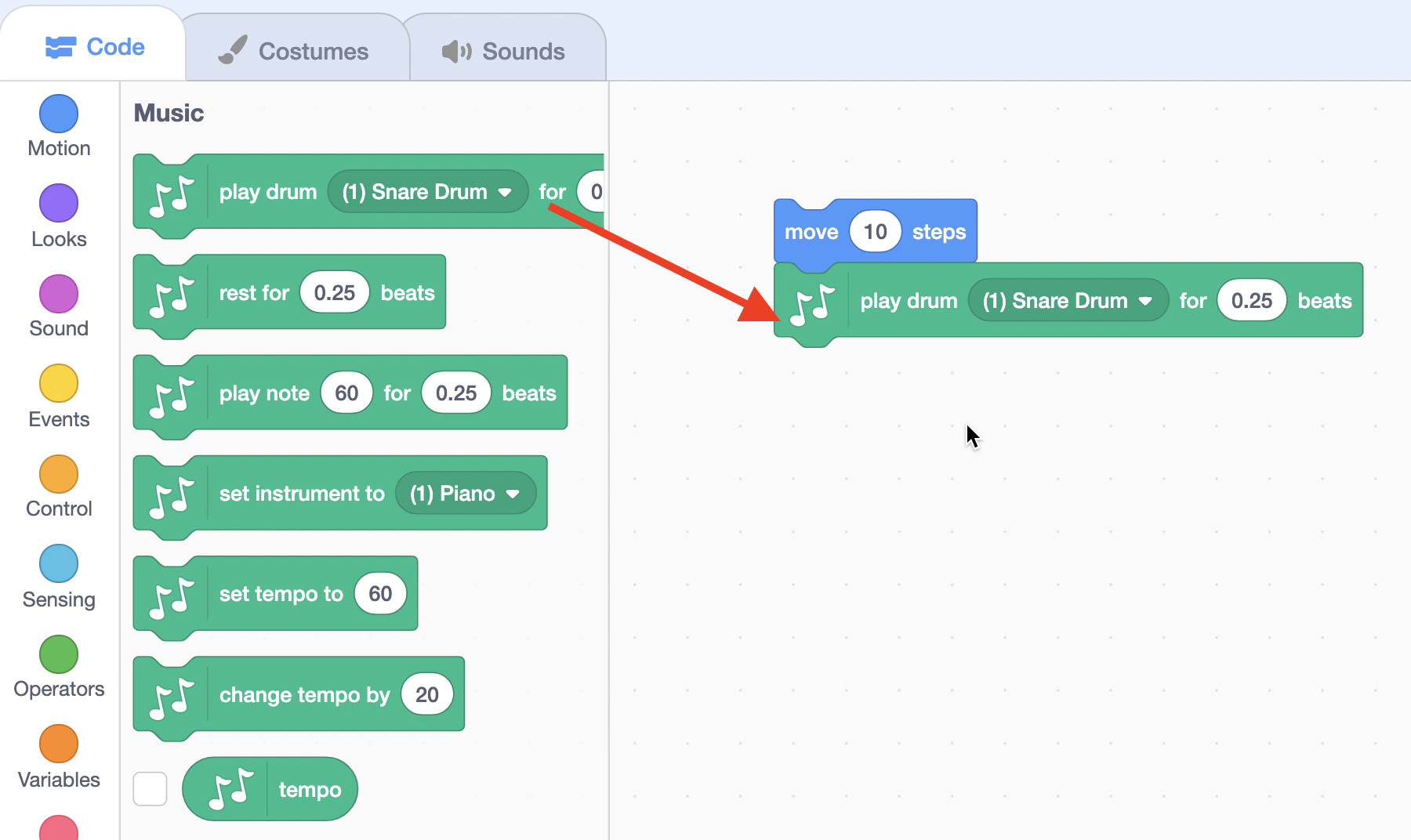
Step8. Add the block "move (-10) steps" and (4) Play drum (4) Crash Symbal for 0.25 beats" to create a forward and backward movement and a percussion movement.

Step9. Use the "next costume" block in the "Looks" to change the shape and dance as the cat moves back and forth.

Step10. Use the "Repeat 10" block in the "Control" to let the cat dance 10 times over and over again.

Step11. Add a "When Green Flag Click" block in the "Event" block collection to make the cat dance when it clicks "Green Flag."
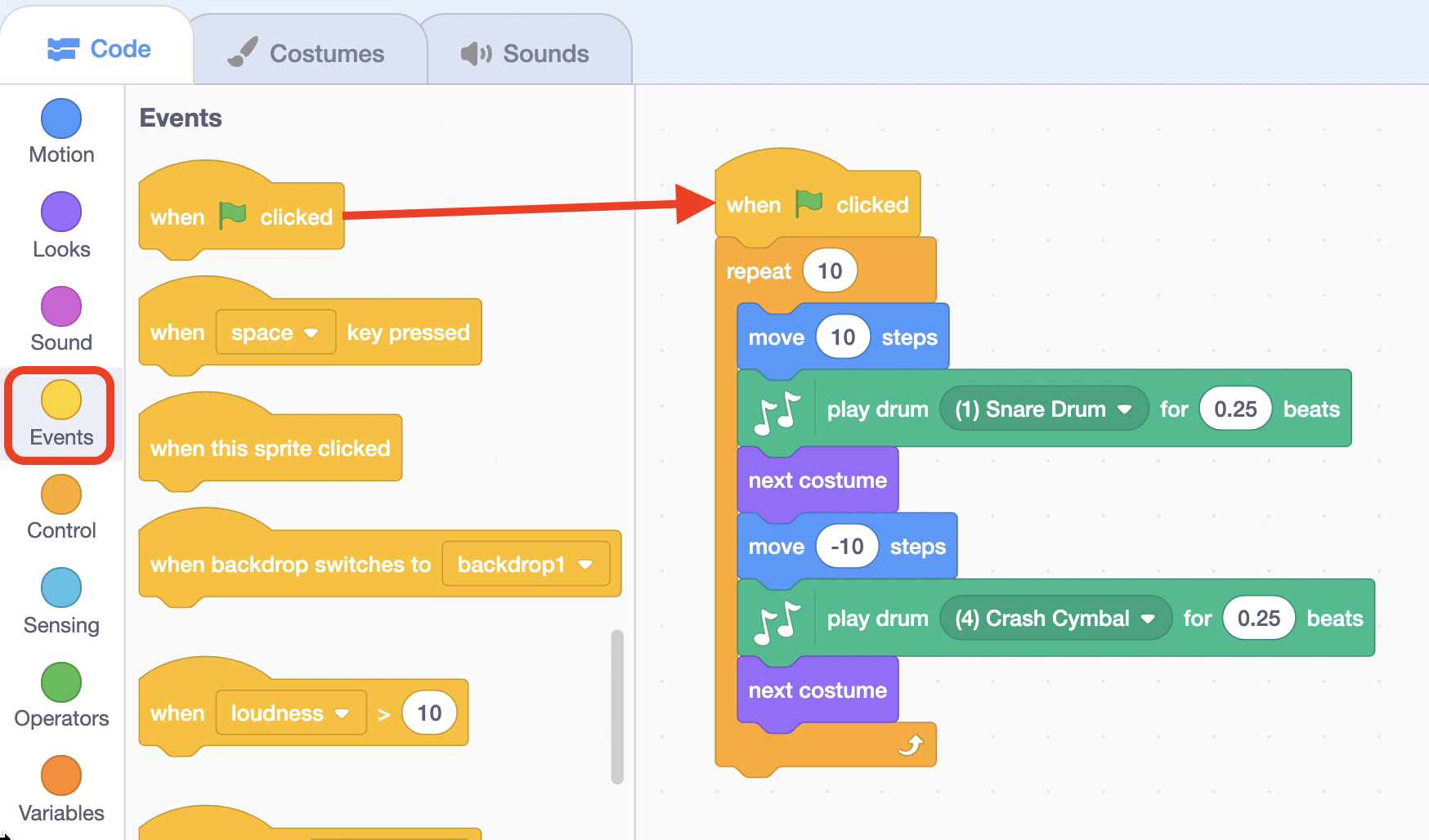
Step12. Click on the "Green Flag" to observe the project.
Step13. Add dancing friends like "Cat."
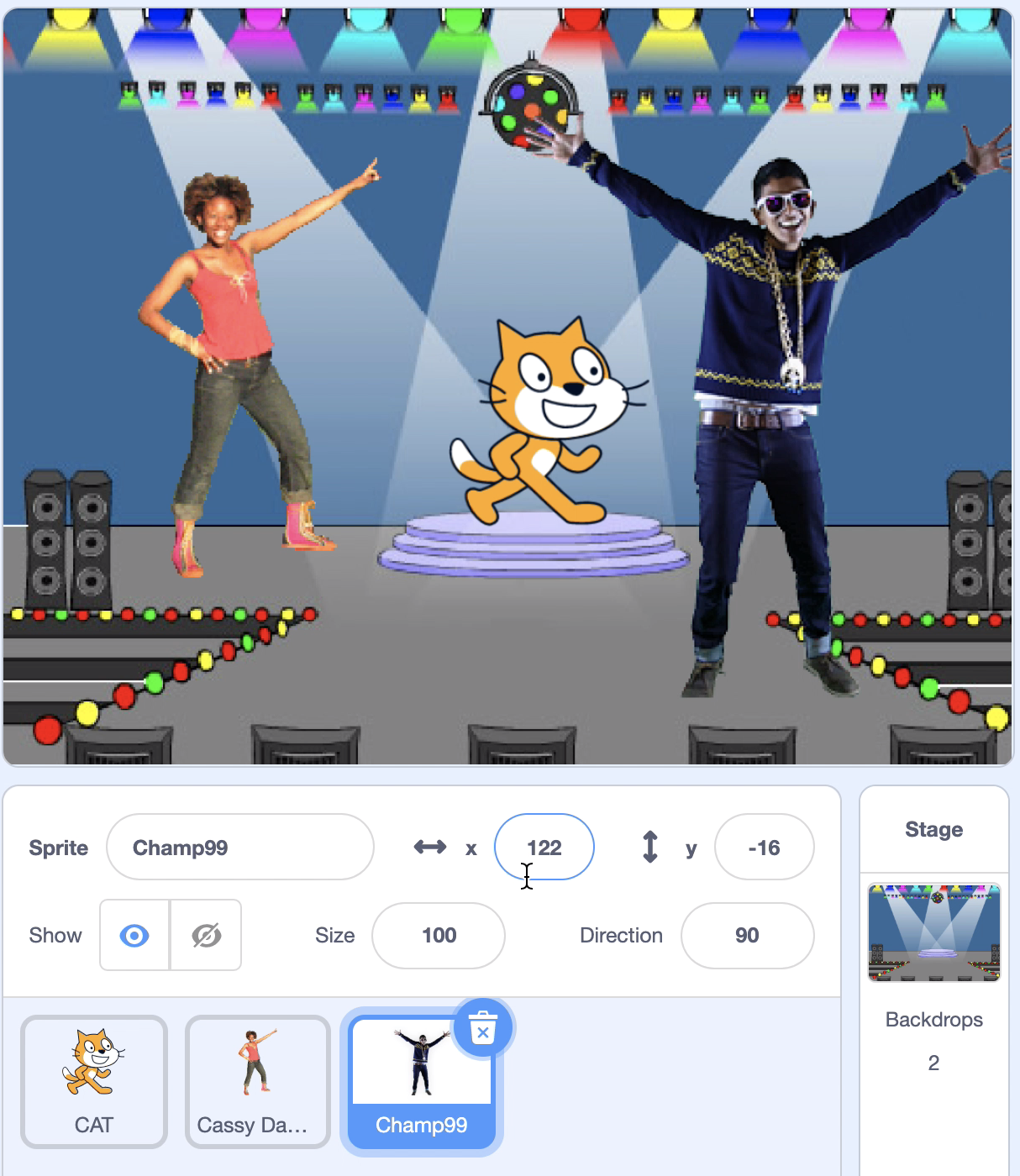
Step14. Let's make a block to dance like a cat sprite.
Step15. Select the "Stage"

Step16. Using the "Change color effect by 25" block, click on the "Green Flag" to change the color of the stage.

Step17. Click on the "Green Flag" to see the cat and its friends dance.
'English' 카테고리의 다른 글
| 6. Character animation (41) | 2020.03.02 |
|---|---|
| 5. Jurassic dinosaur (47) | 2020.03.02 |
| 3. The three cats (51) | 2020.02.13 |
| 2. Move cat sprite (Advance) (136) | 2020.02.07 |
| 1. Move cat sprite (Basic) (144) | 2020.02.07 |